2.2.8 Additional Sub-Pages
Beyond the default Player sub-page where the custom DrumX user interface lives, two additional sub-pages can be accessed from the Palette Menu: MIDI Tools and Automation. A brief overview of each is covered below as a general part of the Opus software, alongside notes specific to DrumX where they exist, and are documented in full in the Opus Software Manual.
A MIDI Tools Sub-Page
The MIDI Tools sub-page contains a suite of tools offering a range of MIDI processing options. Click the + button in the top-right corner to open the MIDI Tools menu that contains all available tools, then click one to load it. The available MIDI Tools include the following: Arpeggiator, Chorder, Glide, Humanizer, Midi Compressor, Midi Echo, Midi Mapper, Pocket Recorder, Restrict To Scale, Sustain Pedal, and Transpose.
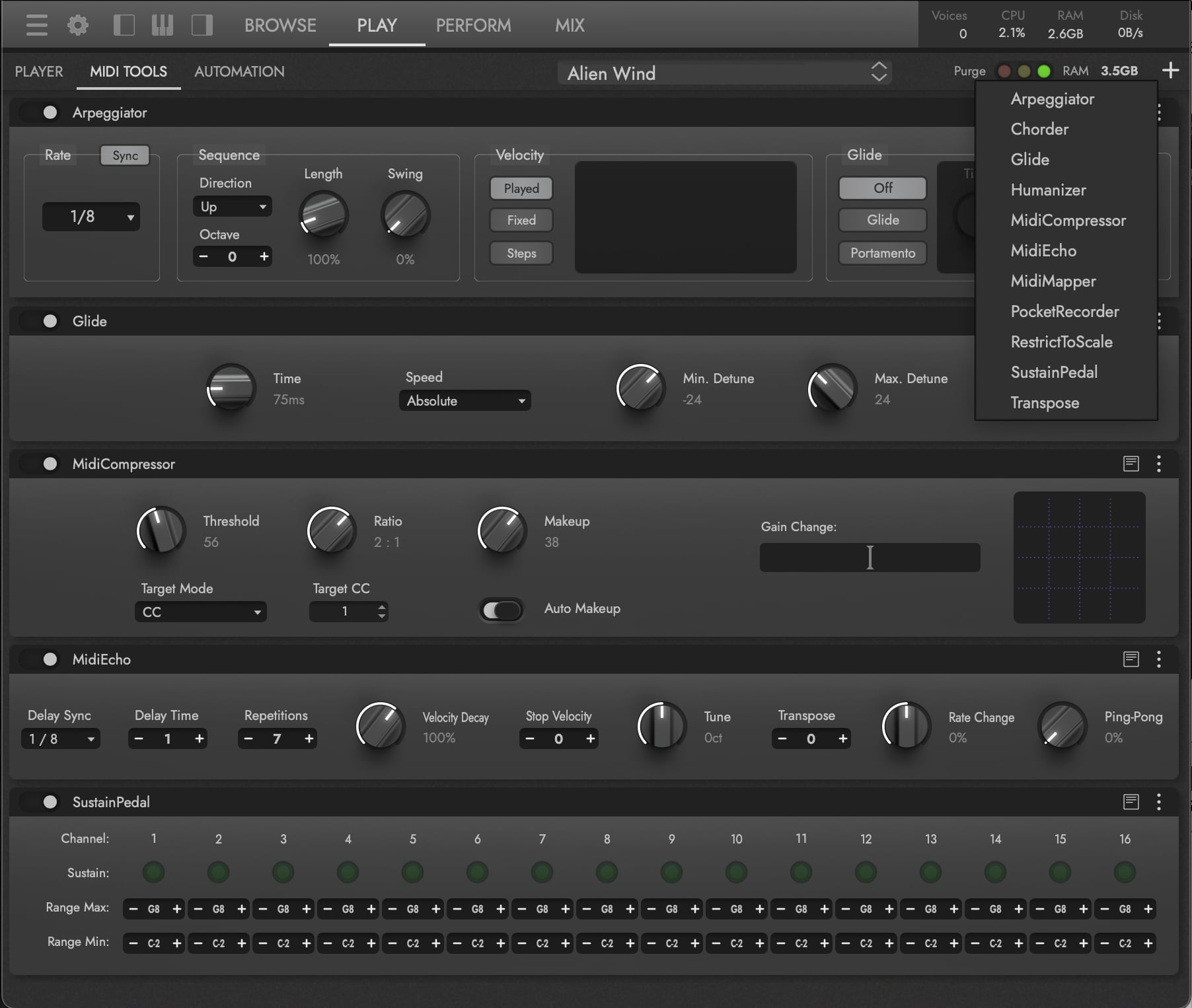
OPUS SOFTWARE MANUAL | SECTION 2.2.2 MIDI TOOLS SUB-PAGE for details on each MIDI Tool and all the options available in this sub-page.
B Automation Sub-Page
The Automation sub-page contains parameter controls that add movement to an instrument by automating its parameters from your DAW, or by mapping MIDI CCs to parameters for real-time control. The sub-page is organized into three columns:
- Automation Parameters — Controls that appear in your DAW’s plug-in automation lane. Add more by clicking the ellipsis at the top of the column, or by right-clicking a control in the Player sub-page and selecting Add Automation.
- Macro Parameters — Controls that appear in the MIDI controller lane of your DAW, useful for assigning hardware controllers.
- MIDI Controller Mapping — MIDI CC numbers available for the selected instrument. Re-map any CC to a different CC number as needed.
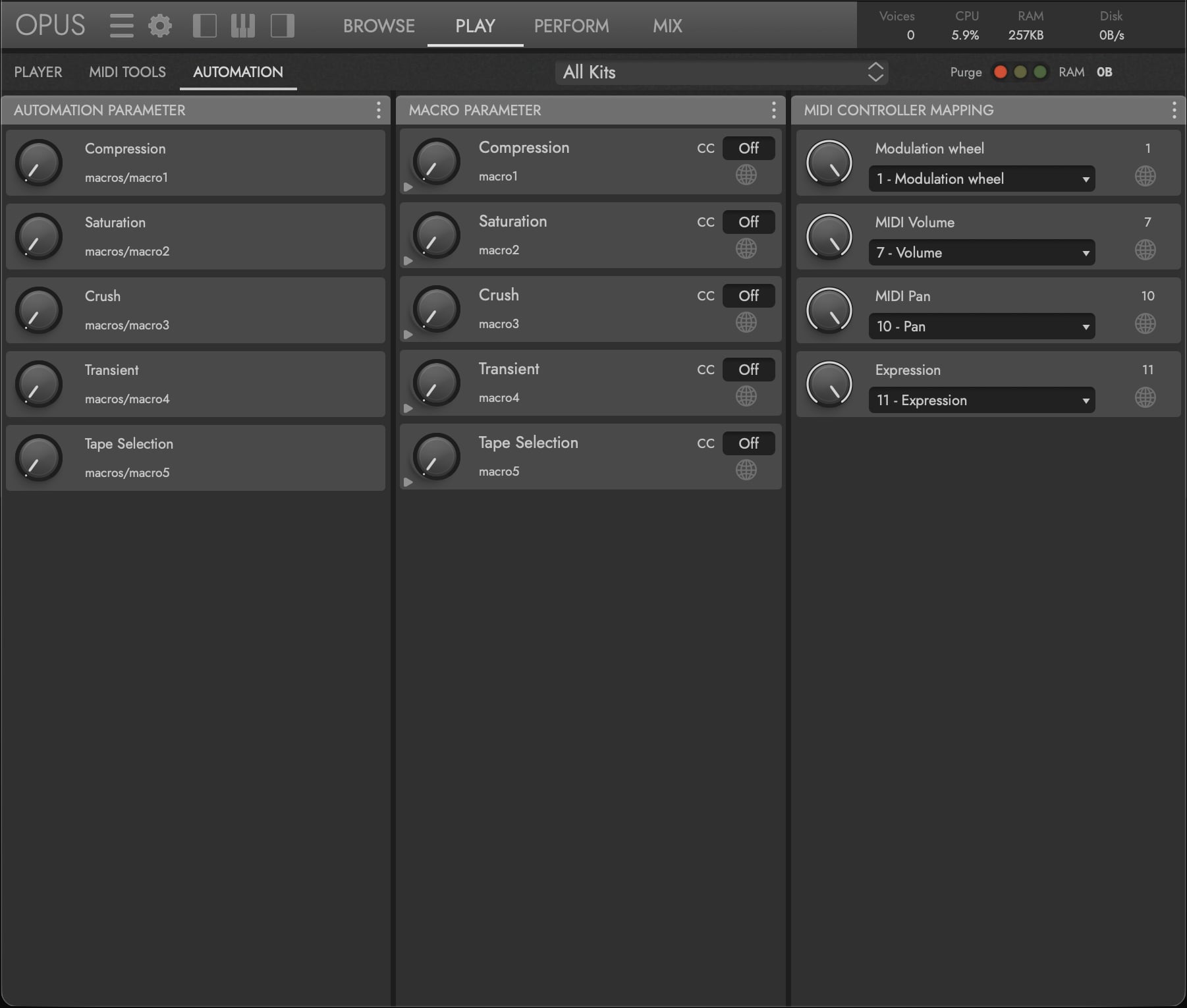
DrumX-specific automation defaults include the four Global Macros — Comp, Drive, Crush, and Transient (see SECTION 2.2.1 GLOBAL CONTROLS) — along with per-pad Tape Selection, so you can automate tape saturation changes in-track.
OPUS SOFTWARE MANUAL | SECTION 2.2.3 AUTOMATION SUB-PAGE for the full set of automation options.