1.2.5 Build Performances
A performance is a multi-instrument setup — multiple instruments loaded together and saved as a single preset. In DrumX, the most common use case is building out a full drum kit with additional DX Layers for extra sonic weight. For example, you might load a TR-808 DX Kit as your main instrument and add a Kick Layer for extra low-end heft, a Snare Layer for additional top-end crack, and a Clap Layer for a thicker clap sound.
Click the Perform Page button in the Navigation Bar to enter the Perform page, where the Zones Sub-page button is selected by default in the Palette Menu. Here, all loaded instruments are displayed as separate racks that can be individually modified.
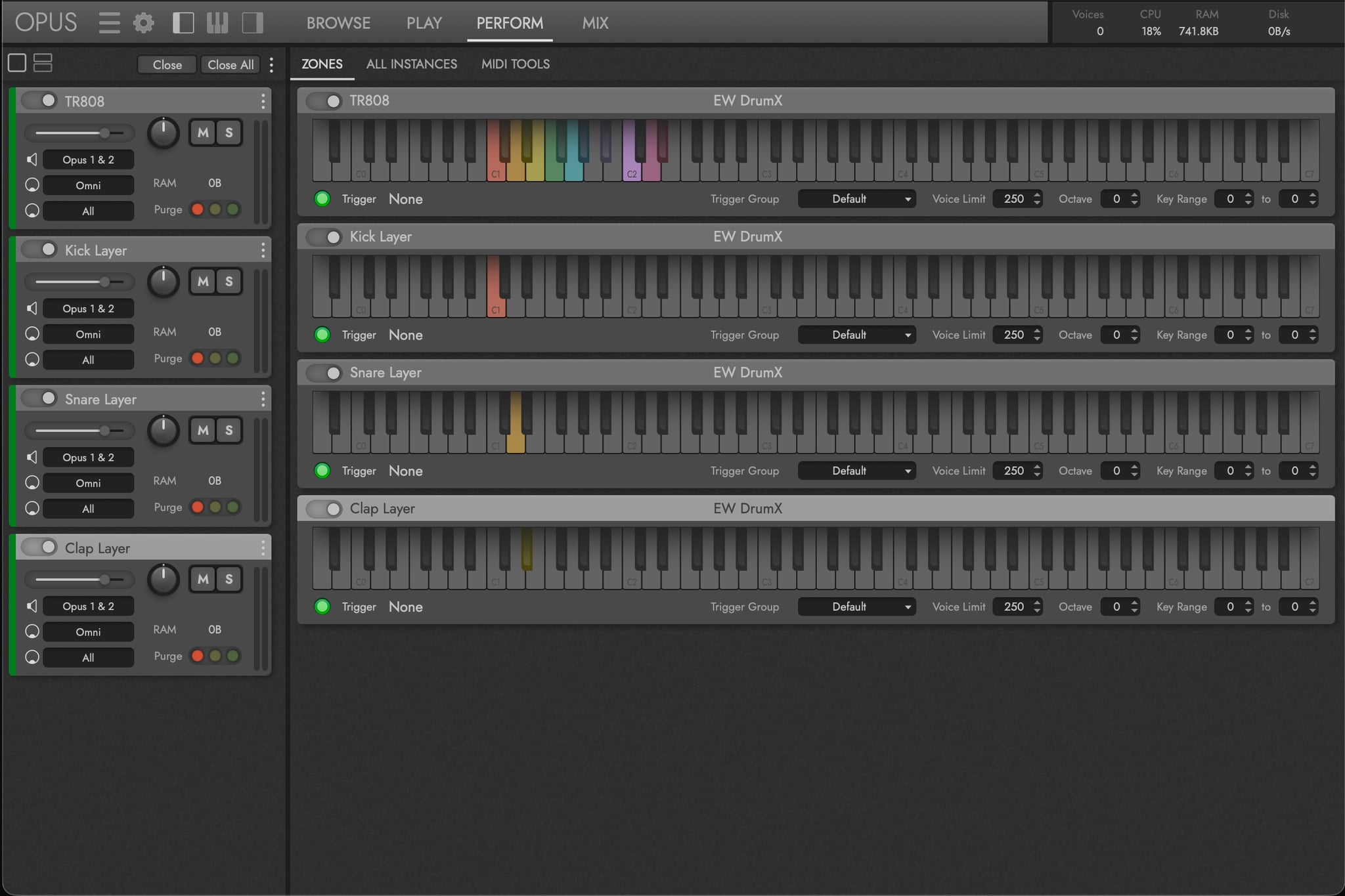
Employ MIDI Trigger options to create multi-articulation instruments that use various MIDI Triggers (like keyswitches and MIDI CCs) to switch between them in real-time. Use Instrument Properties to create multi-timbral instruments by defining key range and octave values for keyboard splits and stacks. When you’re finished, performances can be saved for later recall by going to the Main Menu and selecting Save Performance (or Save Performance As…).
OPUS SOFTWARE MANUAL | SECTION 2.3 THE PERFORM PAGE for more about the sub-pages and controls available to manage multi-instrument performances.