2.2.0 DrumX Controls
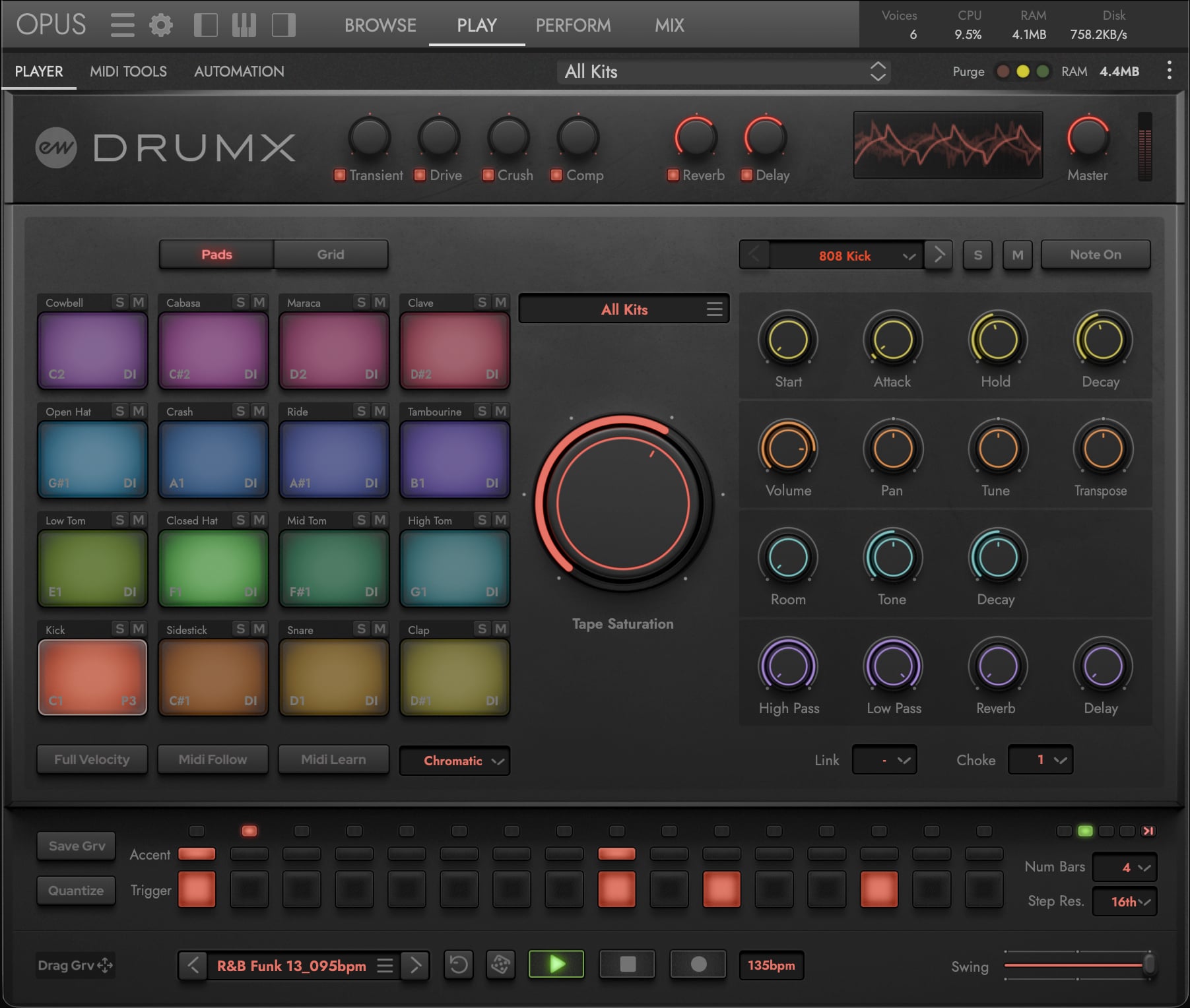
DrumX’s custom user interface comes with all the performance and sound-shaping controls needed to build a kit, program a pattern, and shape the final sound. Along the top sits the Global Controls strip for master effects and metering. Below it, the Pads area on the left contains a 4x4 layout of 16 trigger pads, the Pad Inspector on the right offers per-pad sound shaping, and the central Tape Saturation knob assigns a tape saturation level to the focused pad. The Browser Menu above the Tape Saturation knob displays the currently loaded instrument name — click it to jump back to the Browse page where you can browse and load instruments from the entire DrumX library.
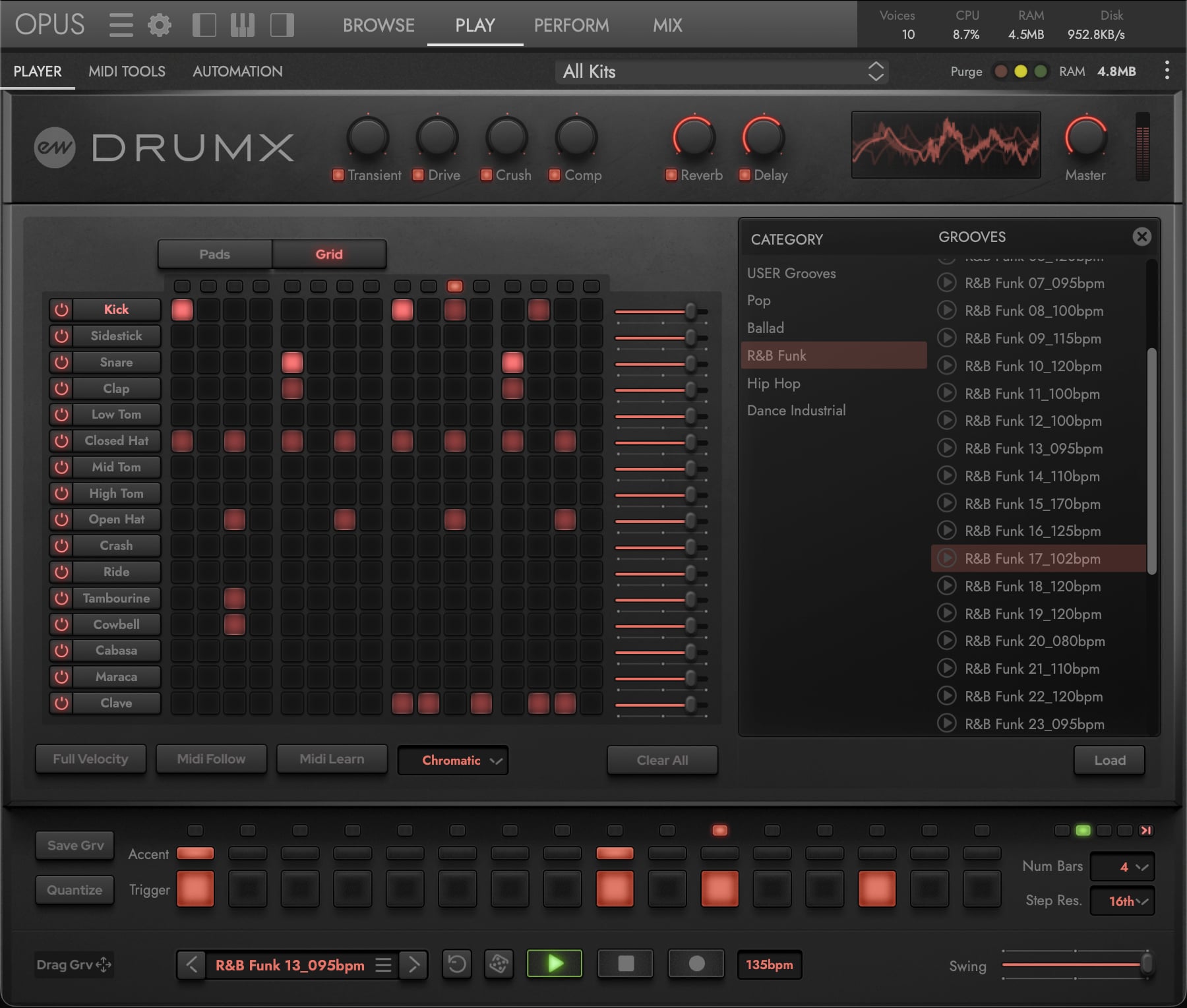
The same central region that houses the Pads also hosts the Grid Sequencer — click the Grid button at the top to switch to a 16-track step-sequencer layout for programming patterns across all drums at once. Along the bottom sits the Groove Engine strip, where the step-level editor for the focused pad lives alongside global pattern controls, transport, and the button that opens the Groove Browser overlay for loading and saving groove presets.
PLEASE NOTE: Beyond the Player Sub-Page where the main DrumX user interface lives, two Additional Sub-Pages (MIDI Tools and Automation) are accessible from the Palette Menu; they are documented briefly at the end of this chapter, with full coverage in the Opus Software Manual.
Section Breakdown
| Section | Area | Purpose |
|---|---|---|
| 2.2.1 | Global Controls | Master effects, bypass buttons, meters, oscilloscope |
| 2.2.2 | Pads | 4x4 grid of trigger pads, MIDI mapping, additional controls |
| 2.2.3 | Pad Inspector | Per-pad sound selection, envelope, tuning, parameters, effects |
| 2.2.4 | Tape Saturation | Rotary selector for choosing tape saturation level per pad |
| 2.2.5 | Grid Sequencer | 16-track step sequencer view for programming grooves |
| 2.2.6 | Groove Engine | Per-pad step sequencer, pattern controls, transport |
| 2.2.7 | Groove Browser | Jimmy Jam groove presets and User presets |
| 2.2.8 | Additional Sub-Pages | MIDI Tools and Automation sub-pages |