2.2.5 Grid Sequencer
Click the Grid button to access the Grid Sequencer that displays all 16 tracks as horizontal rows, each with 16 step buttons. This view is designed for programming and editing beats across all tracks simultaneously.
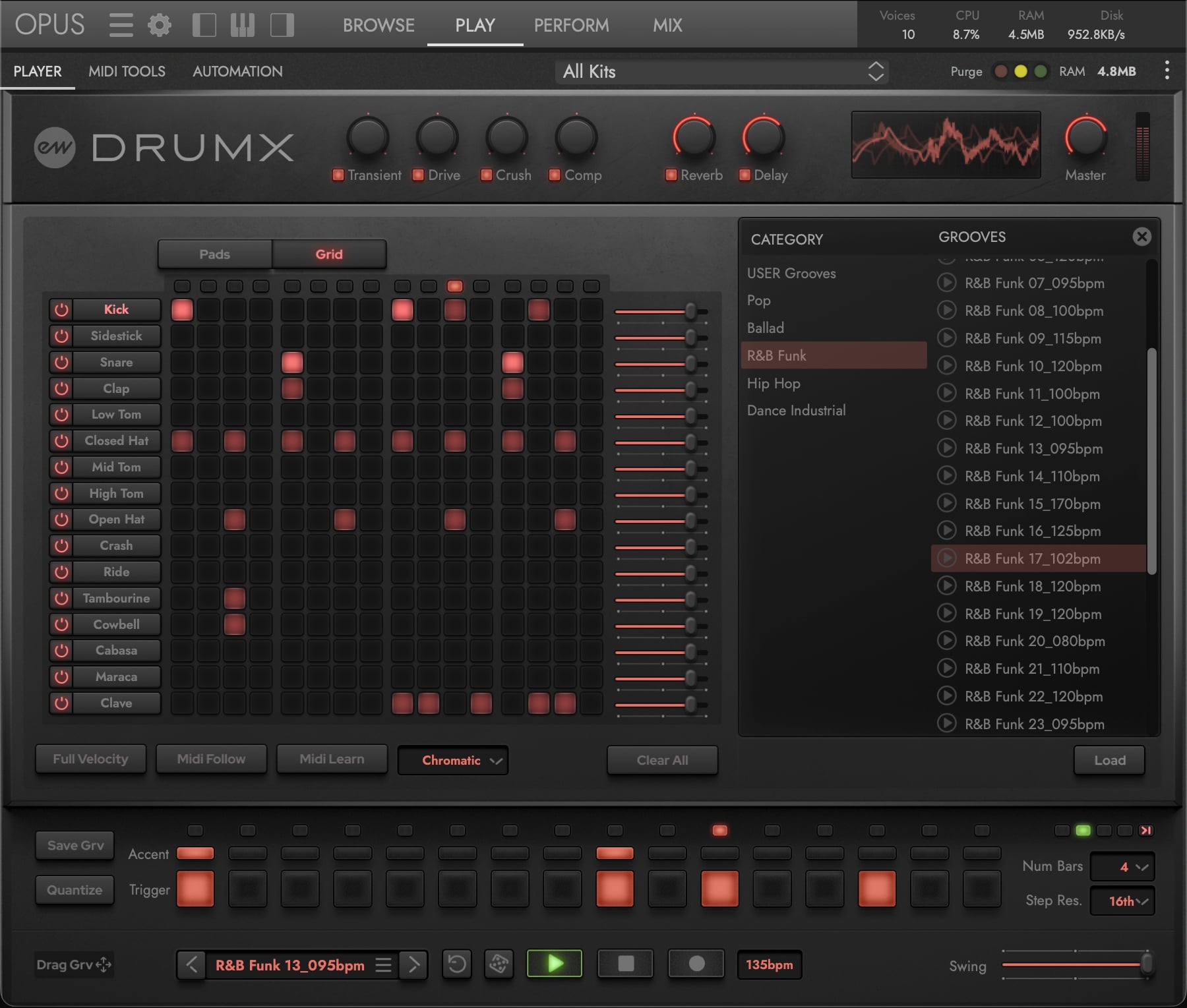
- Step Position — Along the top of the step row, LEDs indicate the current playback position during sequencer playback.
- Power Buttons — Enable or disable each row’s pattern playback.
- Drum Names — Click a name to select that pad for editing.
- Step Sequencer — 16 step buttons per row; toggle steps on or off across all 16 tracks.
- Volume Sliders — Adjust each row’s playback volume.
- Clear All — Removes all steps from every track in a single action.