1.2.6 Mixing & Effects
DrumX features a comprehensive mixing environment with global Master channel insert effects — including the SSL Channel Strip, Bus Compressor, Transient Shaper, Limiting Amp, Tape Saturation, Distortion, and Bitcrusher — alongside per-channel EQ, Delay and Reverb sends on each of the 16 Sub channels, and dedicated Delay and Reverb FX Bus mixer channels.
Click the Mix Page button in the Navigation Bar to enter the Mix page, where you can craft the final sound of an instrument’s output using an array of mix controls and a suite of powerful effects processors.
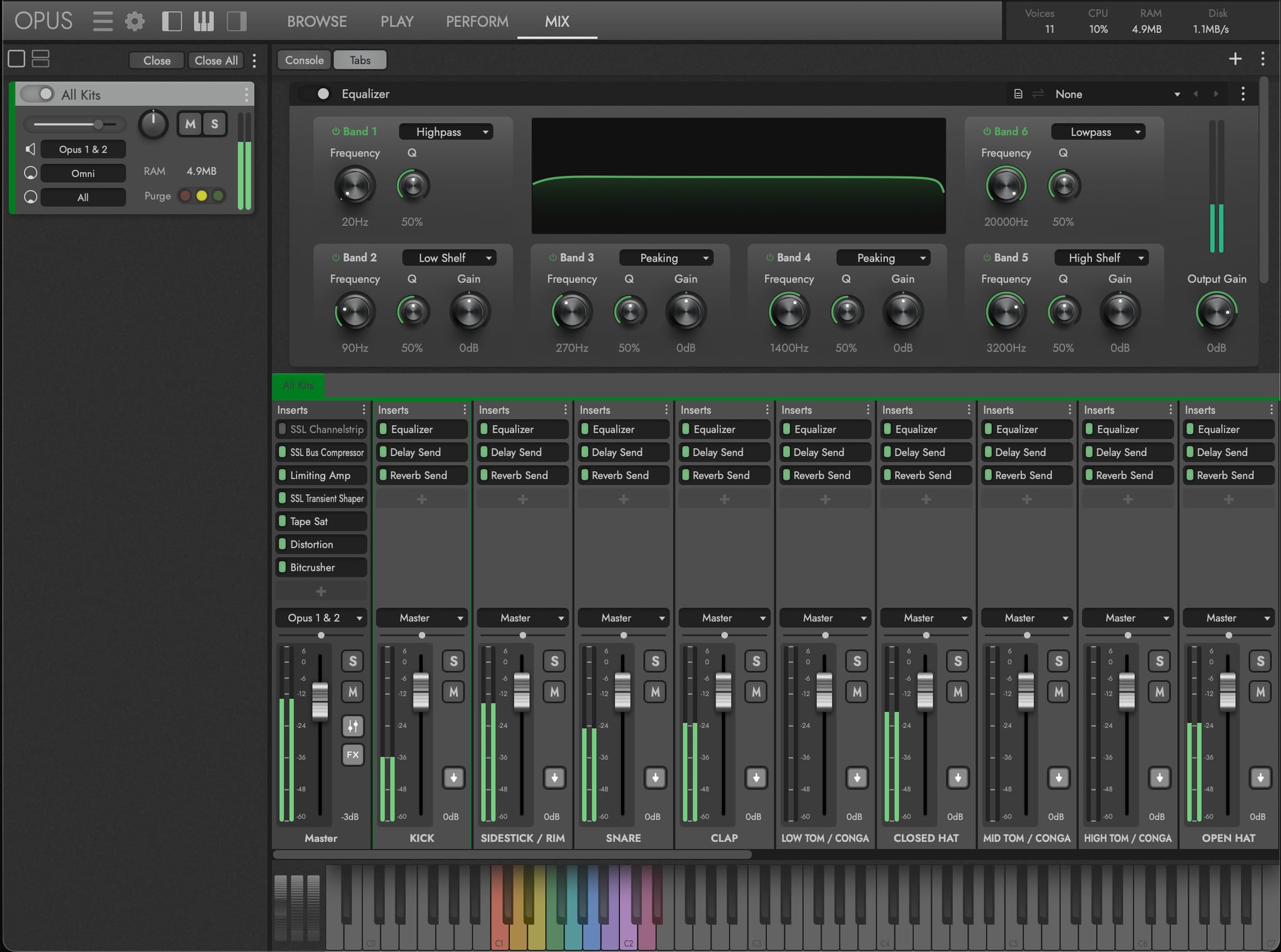
The Effects Area occupies the top half of the Mix page, populating with the effects loaded on the selected channel, which defaults to the Master channel.
The Mixer Area is located in the bottom half of the Mix page, and populates with a standard mixer channel setup for the loaded instrument. In DrumX that includes a Master channel with a host of insert effects, 16 Sub Mixer channels (one for each drum pad), Close and Far ReAmp channels, and 2 FX Bus channels with EP-1 Delay and Convolution Reverb send effects.
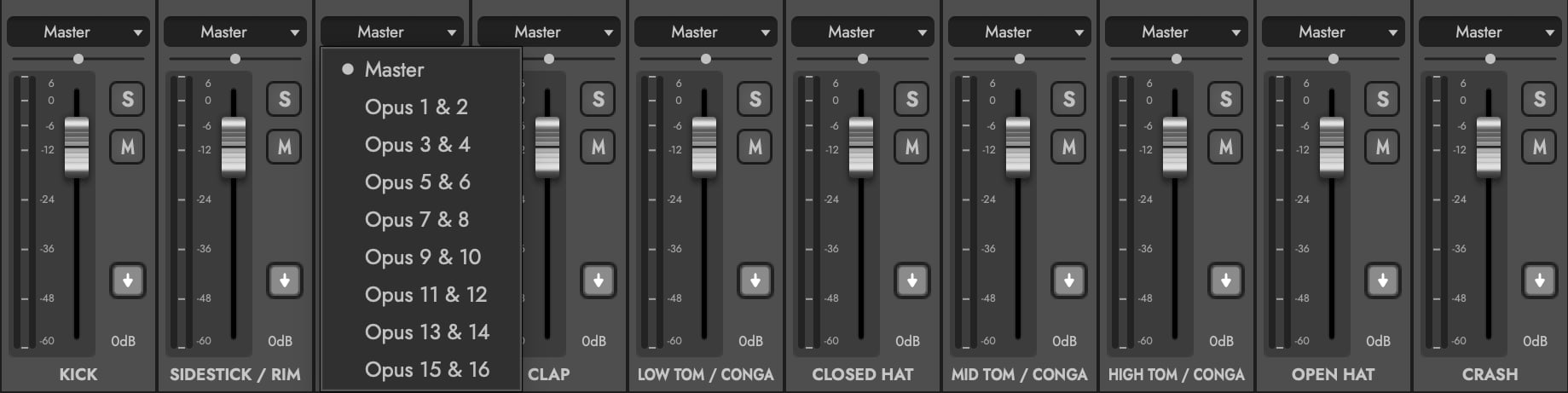
Click in the Channel Output to set each of the 16 Sub channels to individual stereo pairs for multi-out support in your DAW. This routes each drum to a dedicated output for detailed per-drum mixing directly in your DAW’s mixer (1 & 2, 3 & 4, etc).
OPUS SOFTWARE MANUAL | SECTION 2.4 THE MIX PAGE for further details on how to mix, add effects, and otherwise finalize an instrument’s output.