2.3.0 Scoring Engine
At the heart of Hollywood Scoring Tools is a composition environment called the Scoring Engine. It combines a library of Scores, a 10-slot Dynamic Mixer, a powerful arpeggiator and integrated effects into a single workspace, and exports a finished arrangement to your DAW as multitrack MIDI.
PLEASE NOTE: Loading the Scoring Engine is covered in SECTION 1.1.2 WALKTHROUGH, B. Load Scoring Tools. In short: double-click the Scoring Tools performance file at the top of the library on the Browse page, and Opus opens its Perform page on the Scoring Tools sub-page.
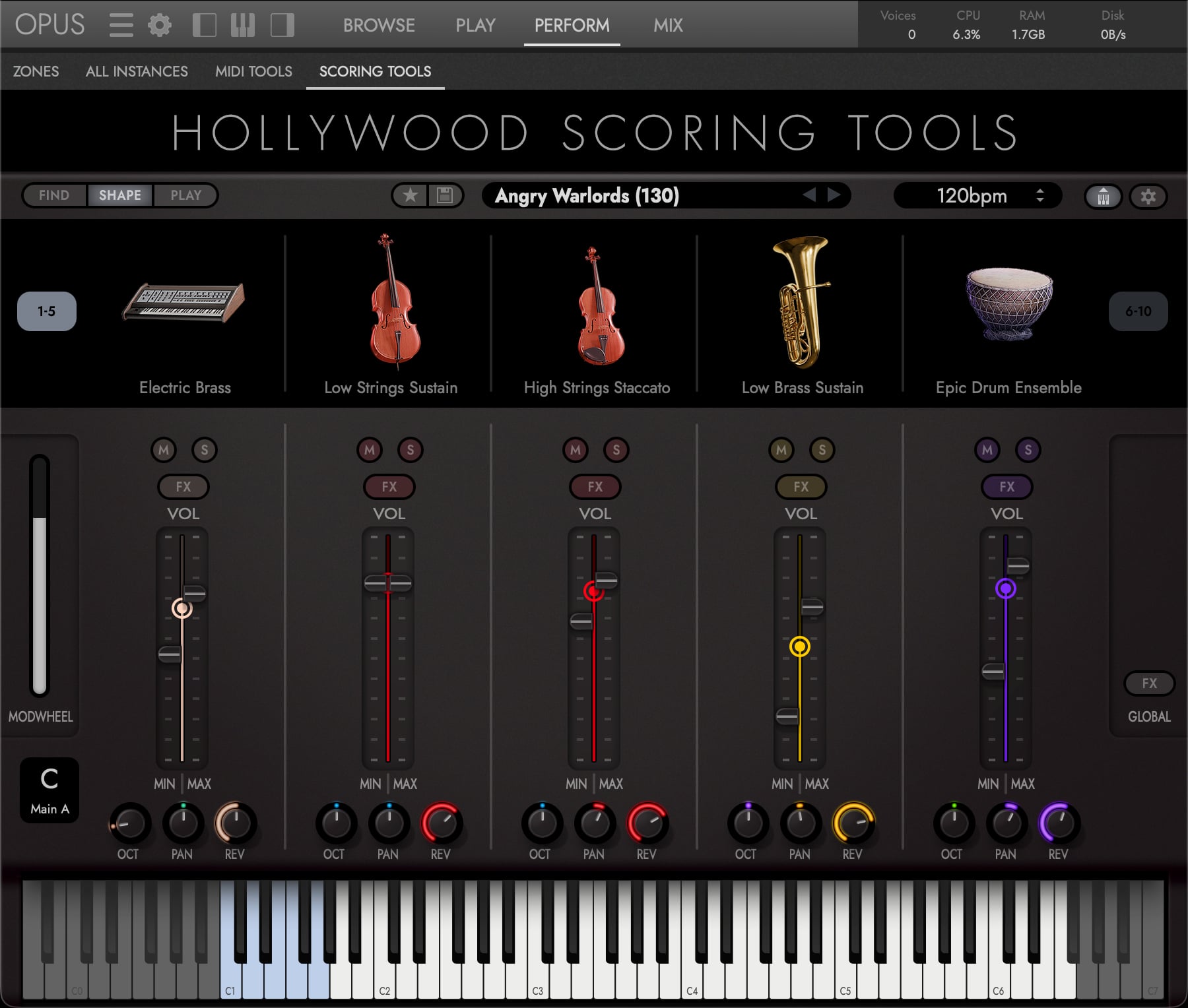
The Scoring Engine is organized into three tabs at the top of the interface, Find, Shape and Play, that handle everything you need:
- Find: The Score Browser, where you filter, search, audition and load the 300+ Scores and your own User Scores.
- Shape: The Dynamic Mixer, where each slot’s volume, pan, octave, reverb send and mod-wheel range are set.
- Play: The Arpeggiator, where each slot’s note order, rate, note selection and velocities are set.
PLEASE NOTE: The engine’s Play tab is not the Opus Play page. Throughout this manual, “the Opus Play page” means the Opus page that hosts a single loaded instrument, and “the engine’s Play tab” means the Arpeggiator tab above.
Everything in the Scoring Engine is driven by three things: the chord you hold, the Mod Wheel position and the Keyswitch selection. What plays back is ten instruments responding to that one performance, each as its slot was programmed. You give the engine one performance; the Score turns it into ten parts.
- The chord sets the notes. Every pitched slot draws from the notes you are holding, so changing chord changes the whole arrangement at once. Drum kit slots keep their own pattern. Release the keys and everything stops.
- The mod wheel sets the intensity, scaling each slot between its own minimum and maximum volume, which is how one Score moves from intimate to full without you touching a fader. How hard you play the keys does not come into it.
- The keyswitch sets the section, swapping all ten slots to a different set of patterns.
Underneath all three run the four sections and the Ending, switched live from the keyboard, which is what turns a Score from a loop into a piece of music. See SECTION 2.3.4 SECTIONS & KEYSWITCHES.