2.2.1 Additional Controls
With an individual instrument loaded, the Opus Play page offers up to three additional sub-pages alongside the Player sub-page covered in the previous section: MIDI Tools, Automation and Articulations. Hollywood Scoring Tools shows the first two. Each is summarised here as it applies to Hollywood Scoring Tools; the Opus Software Manual documents all sub-pages in full.
PLEASE NOTE: These sub-pages belong to the Opus Play page and apply to a single loaded instrument.
A MIDI Tools
The MIDI Tools sub-page belongs to Opus, and it is the same in every EastWest product: a stack of processors that act on incoming notes before they reach the instrument. The Add button at the right of the Palette Menu opens the catalogue, and each tool you add gets a switch at the left of its title bar and opens to its own controls.
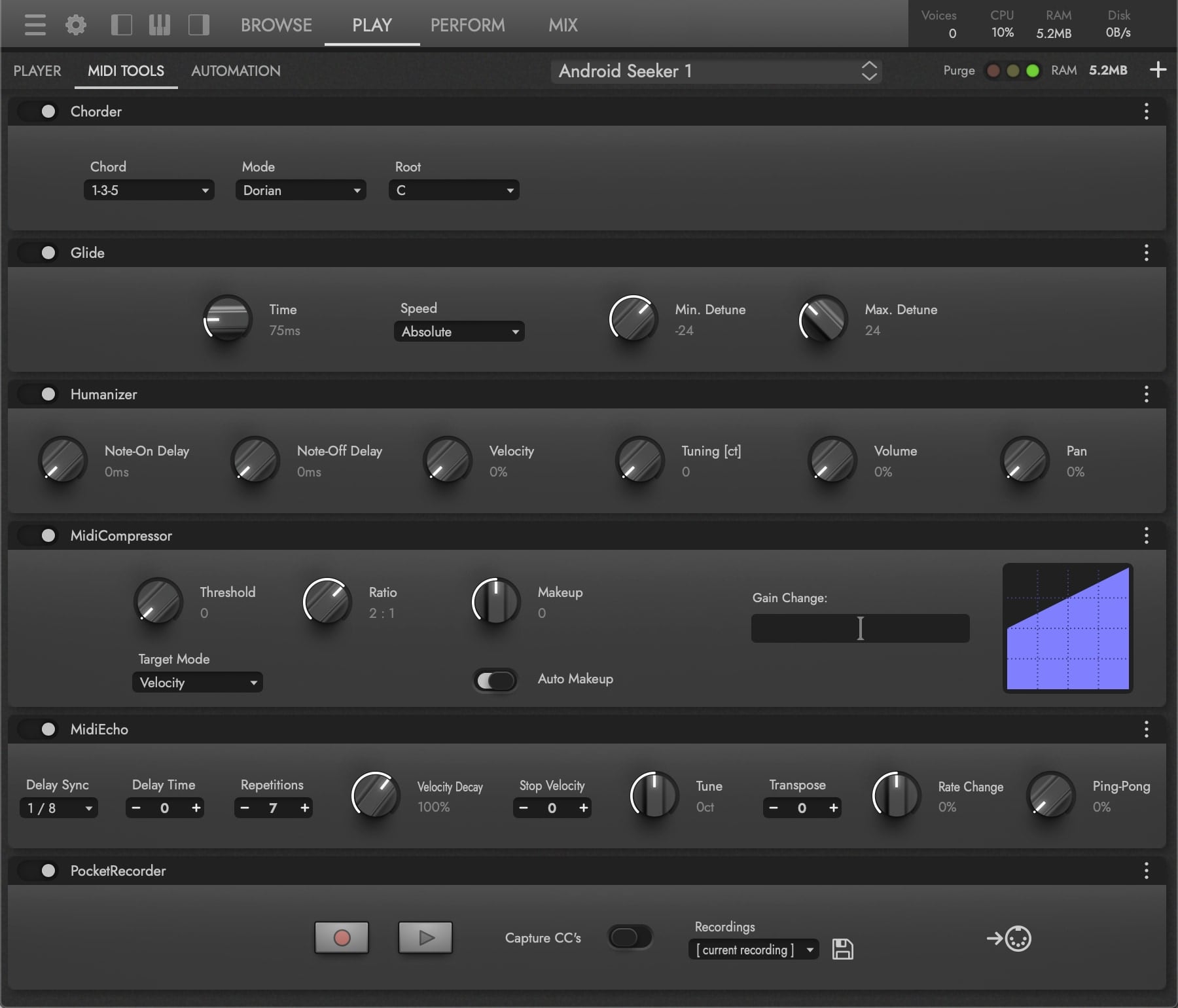
Thirteen tools in total are available. Reach for one when you want an effect such as a Glide across a lead or a PocketRecorder capture of a MIDI performance.
| Arpeggiator | MidiMapper |
| ChordMemory | PocketRecorder |
| Chorder | RestrictToScale |
| Glide | SustainPedal |
| Humanizer | Transpose |
| MidiCompressor | Vibrato |
| MidiEcho |
OPUS SOFTWARE MANUAL | SECTION 2.2.2 MIDI TOOLS SUB-PAGE covers every tool and its controls.
B Automation
The Automation sub-page lists the parameters the loaded instrument makes available to your DAW and your MIDI hardware, in three columns. You can add your own to any instrument.
- Automation Parameter holds up to 16 parameters, which appear in your DAW’s plug-in automation lanes.
- Macro Parameter holds parameters driven by MIDI CC, each able to move several of the instrument’s controls at once. They record into a DAW’s MIDI lanes, or you can program their CC numbers into a controller for live control.
- MIDI Controller Mapping lists the CCs the instrument already answers to, and a drop-down remaps any of them to a different CC.
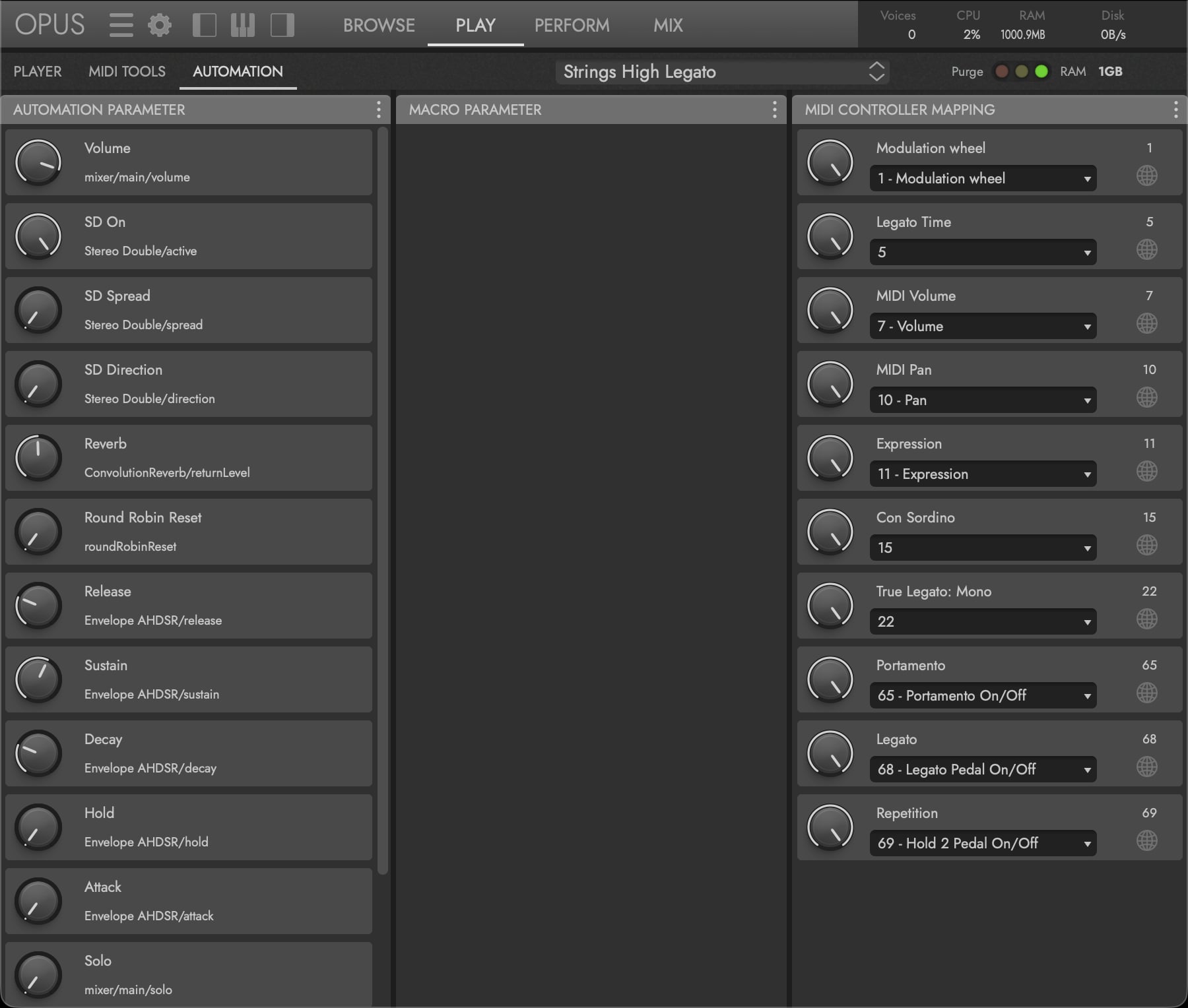
What appears here depends on the instrument you have loaded. The picture above shows the controls for Strings High Legato, for example.
OPUS SOFTWARE MANUAL | SECTION 2.2.3 AUTOMATION SUB-PAGE covers assignment, macros and the curve types.
C Why There Is No Articulations Sub-Page
Opus adds an Articulations sub-page only for instruments that register articulations, and Hollywood Scoring Tools instruments register none, so the tab never appears. Articulation here is chosen by which instrument you load: “Strings High Sustain” and “Strings High Staccato” are two separate instruments, not two states of one. See SECTION 2.1.1 INSTRUMENT CATEGORIES.
The library’s own five keyswitches at C1–G1 work one level up, switching the whole arrangement between its sections rather than an instrument’s articulation. They are handled inside the Scoring Engine and never reach the Opus articulation system. See SECTION 2.3.4 SECTIONS & KEYSWITCHES.
OPUS SOFTWARE MANUAL | SECTION 2.2.4 ARTICULATIONS SUB-PAGE covers the sub-page as it appears in products that do register articulations.