2.2.0 Controls
Any of the 164 instruments can be loaded on its own, without the Scoring Engine. This is the conventional Opus workflow, and it is what you want when you need a single part: a solo line to record against the score, or to double one section under an existing arrangement.
A The Instrument Interface
Loaded instruments open on the Play page with the Player sub-page selected by default, showing their custom interface and set of controls.
PLEASE NOTE: If you load an instrument but Opus stays on the Browse page instead of switching to the Play page, enable the Double Click in Browser Shows Play/Perform Page option in the Settings Menu under Preferences ▸ Other.
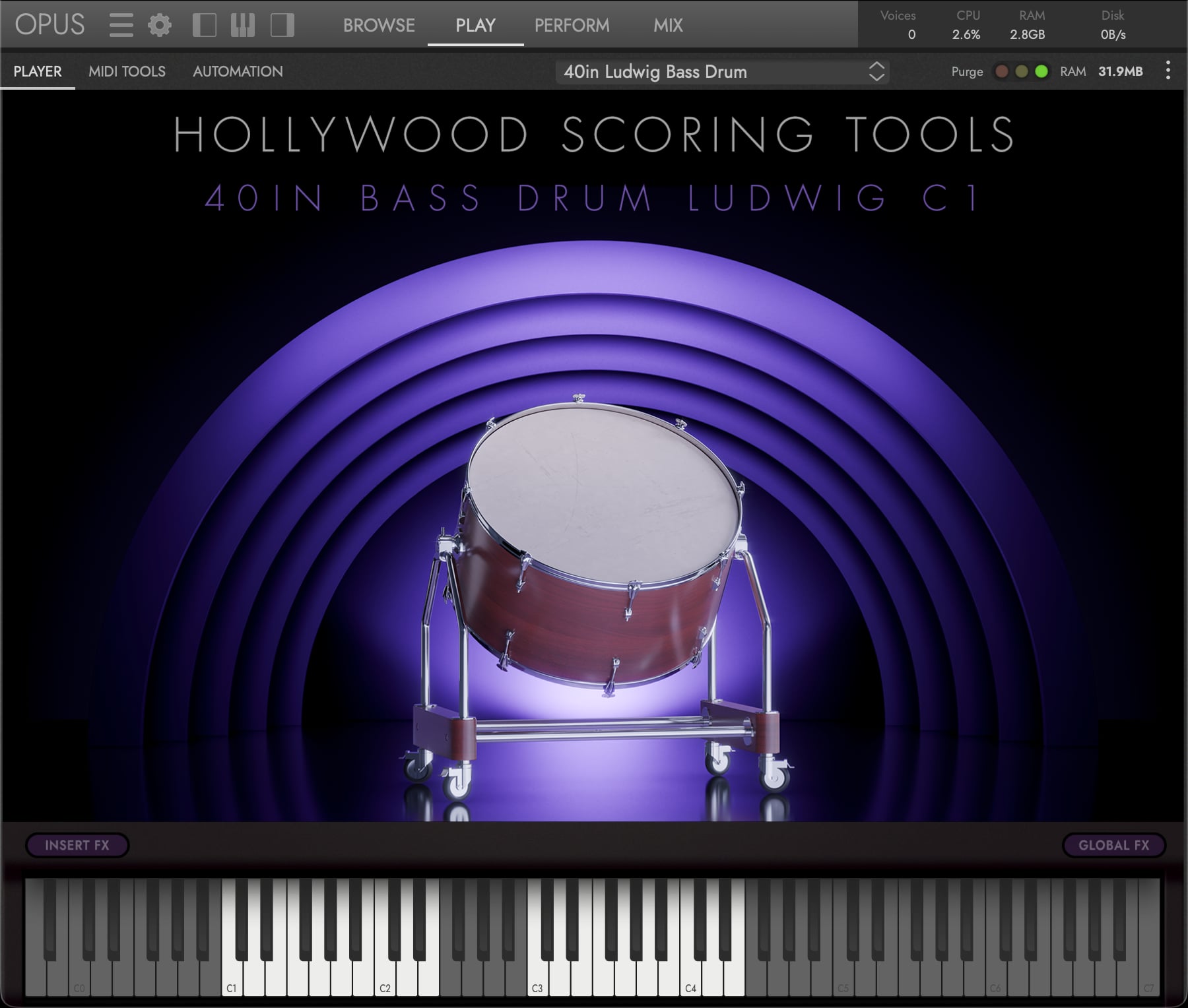
The Hollywood Scoring Tools interface has a very simple approach, with buttons for Insert FX and Global FX that open their respective overlay menus.
- Insert FX contains the same controls the Scoring Engine uses per slot, applied here to a single instrument: an amplitude envelope with Attack and Release, a 3-band parametric EQ, and a three-slot insert FX rack drawing on the same 21 effects across six categories.
- Global FX holds the reverb that sits across the whole instrument. A Type menu chooses between a Convolution engine, which plays the signal through a recording of a real space, and an Algorithmic one, which builds the space instead. A Preset menu offers starting points for either: 21 convolution spaces and 9 algorithmic settings.
CONTINUE READING | SECTION 2.3.6 EFFECTS for the effect catalogue and the reverb presets. The catalogue is shared; only the context differs.
B The Four Opus Pages
With a single instrument loaded, the four Opus pages work together in the usual way:
| Page | What it does here |
|---|---|
| Browse | Finds and previews instruments, and loads them |
| Play | The instrument’s custom interface and controls that live in the Player sub-page, plus the additional Opus sub-pages covered in SECTION 2.2.1 ADDITIONAL CONTROLS |
| Perform | Splits, stacks and keyswitches across several loaded instruments |
| Mix | A mixer channel per instrument, with the full Opus effects catalogue |
OPUS SOFTWARE MANUAL covers all four pages, and everything on them, in depth.
C Why the FX Buttons Disappear When the Scoring Engine Is Loaded
If you load the Scoring Tools performance and visit the Play page to see a single instrument within it, the Insert FX and Global FX buttons are not there.
This is deliberate: the engine and the single-instrument view keep separate sets of effects, and if both were reachable at once the last one you touched would silently overwrite the other. To use an instrument’s own effects, load it without the Scoring Tools performance and the buttons come back. To shape a slot inside an arrangement, use that slot’s FX button on the Shape tab instead, covered in SECTION 2.3.6 EFFECTS.