1.3.0 Product Support
EastWest provides several ways to get help with Hollywood Scoring Tools: the EastWest Support Center with live chat, the EastWest YouTube channel for video tutorials and walkthroughs, the EastWest Facebook community, and two manuals, one for this library and one for the Opus software it runs in.
A Online Resources
The EastWest Support Center allows you to:
- Live Chat with a Support Agent
- Download software and product updates
- View and download manuals, guides and FAQs
Live Chat with a Support Rep
EastWest’s Support Center offers Live Chat, the fastest way to reach a Support Team Member to help resolve any technical issues you may be having.
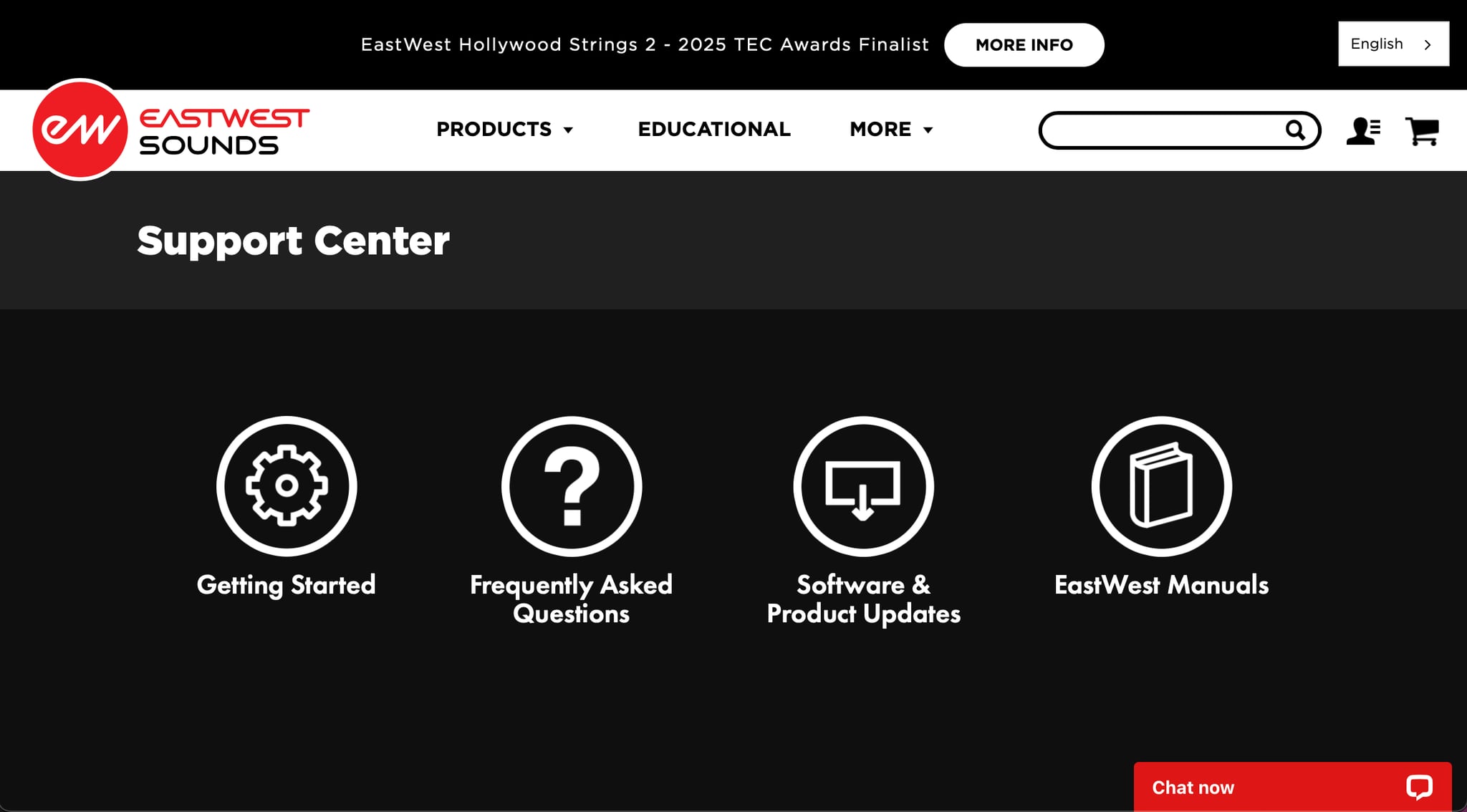
Click the red Chat Now box in the lower-right corner of the Support Center page.
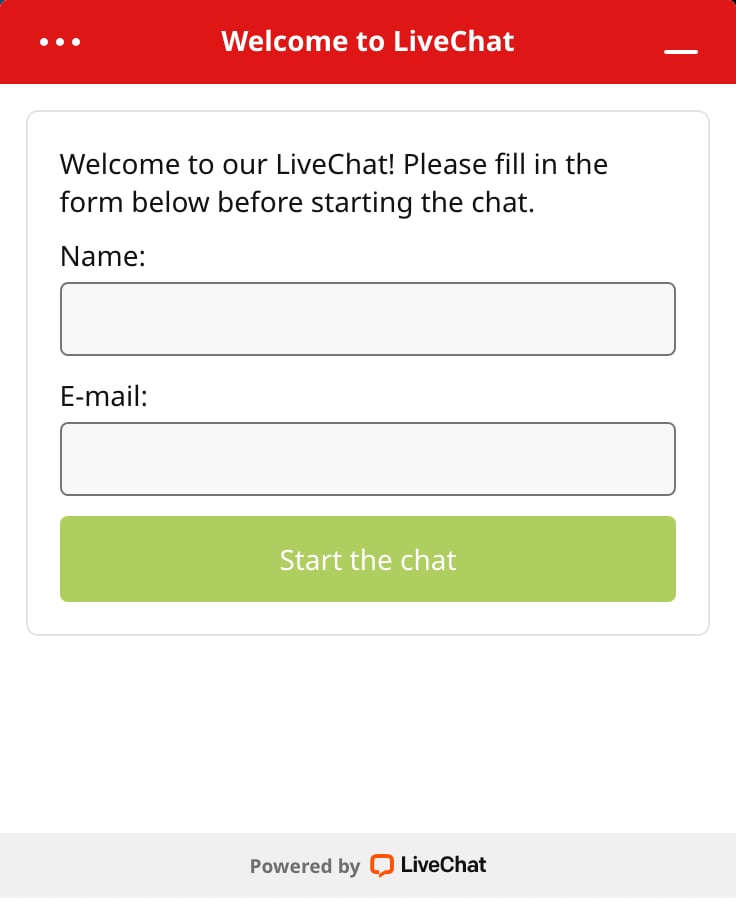
Fill in your name and email address, then click Start the chat. If no agent is available, click Leave a Message instead and someone will get back to you.
Installation Guides
The Getting Started guides walk through downloading the EastWest Installation Center, signing in, activating your license and downloading your first library. Click the one that matches your license.
- EW ComposerCloud+ Getting Started for subscribers
- EW Products Getting Started for perpetual license holders
The EW Installation Center guide is the reference for the app itself: how to navigate it, what each tab does, and how to install, update, locate and manage your libraries.
B Watch Our Videos
Visit the EastWest YouTube channel for the latest:
- Installation and setup tutorials
- Product trailers and walkthroughs
- Software walkthroughs
- Composing tips and more
C Community
Visit EastWest on Facebook to get the latest announcements, and to join the discussion with other community members.
D Manuals
Hollywood Scoring Tools has two manuals, and between them they cover everything. This one is about the library: its instruments, its controls and the Scoring Engine. The Opus Software Manual is about the software the library runs in, and is shared by every EastWest product. Both are opened from inside Opus, and both are available online at the EastWest Manuals page.
EW Hollywood Scoring Tools User Manual
This manual covers everything specific to Hollywood Scoring Tools. Click the User Manual button in the top-right corner of the Description Box on the Browse page to open it.

Opus Software Manual
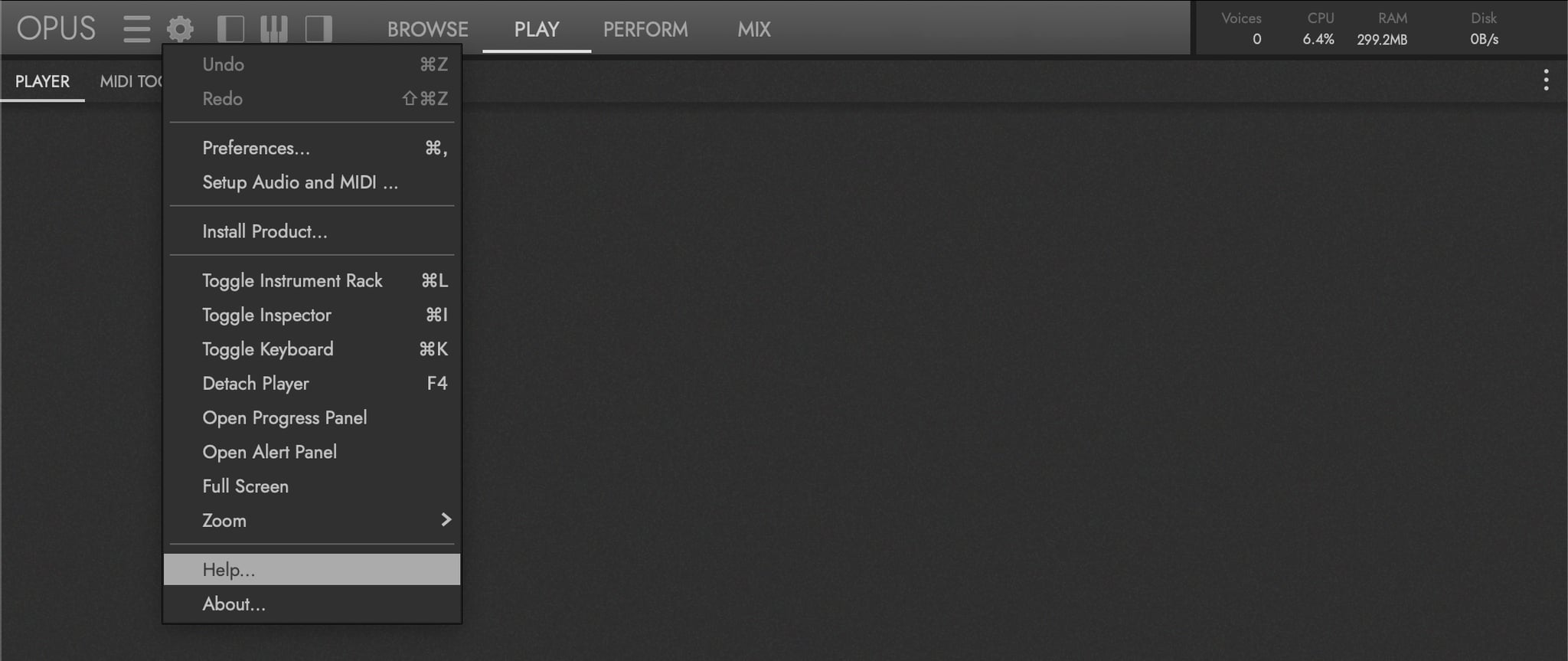
The Opus Software Manual covers the features shared across every EastWest product: preferences, browsing, the mixer, the effects and the rest of the Opus interface. Click the Settings Menu in the Navigation Bar and choose Help at the bottom of the menu.
Manual References
Throughout this manual there are references to sections in the Opus Software Manual that expand upon the current topic in greater detail. For example:
OPUS SOFTWARE MANUAL | SECTION 1.1.3 PREFERENCES contains more about the settings available in the Preferences window.
Interrelated topics within this manual are surfaced in a parallel CONTINUE READING callout, typically at the end of a section to point you at the next logical chapter:
CONTINUE READING | SECTION 2.1.1 INSTRUMENT CATEGORIES for more about the instruments available in this collection.
A shorter inline form of the same idea appears within paragraphs when the reference is tightly tied to the sentence at hand (for example, “see SECTION 2.3.3 DYNAMIC MIXER for the full breakdown”).
The numbering system identifies the chapter, section and sub-section of the referenced section. For instance, a section numbered 2.1.1 is from Chapter 2, Section 1, Sub-section 1.
In the PDF version, use the included chapter links that are standard in PDF-formatted documents. In the HTML version, use the navigation sidebar or the search feature to find the referenced section.